






This tutorial will help you on how to download our IPTV service on any device you have, Just choose the type of device you own and follow the steps provided.
If you do not understand or face any problem in the steps, just contact us on WhatsApp or e-mail, our team is waiting for you to provide assistance immediately.


1: From the home screen of your device, hover over the Find option.
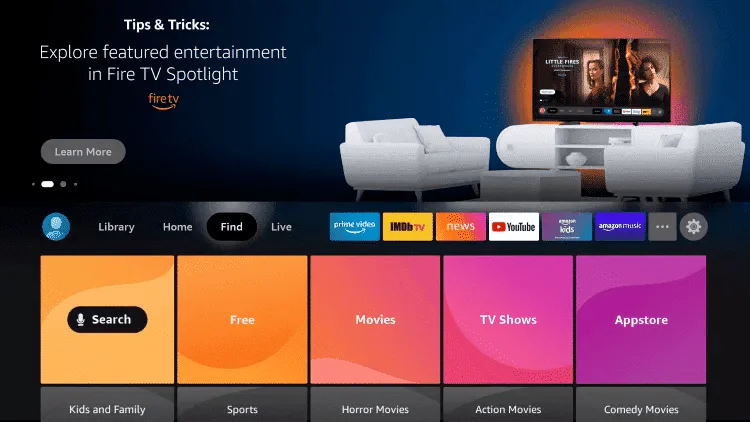
2. Click Search.
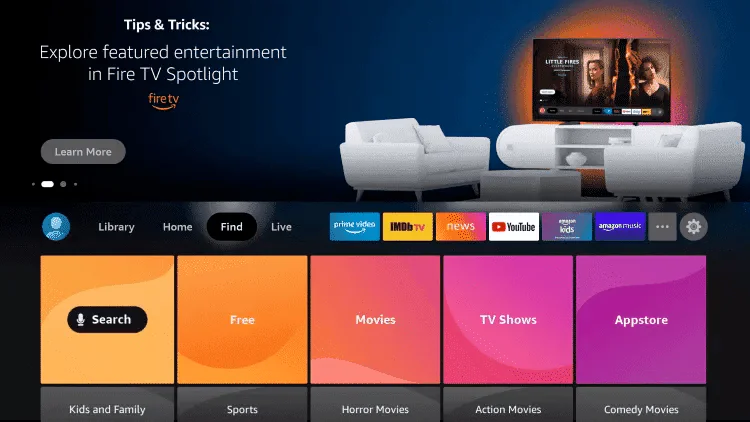
3. Search for and select Downloader.
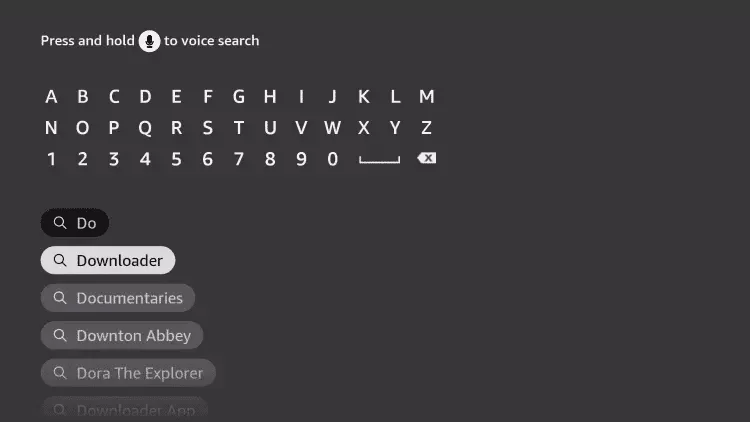
4. Choose the Downloader app.
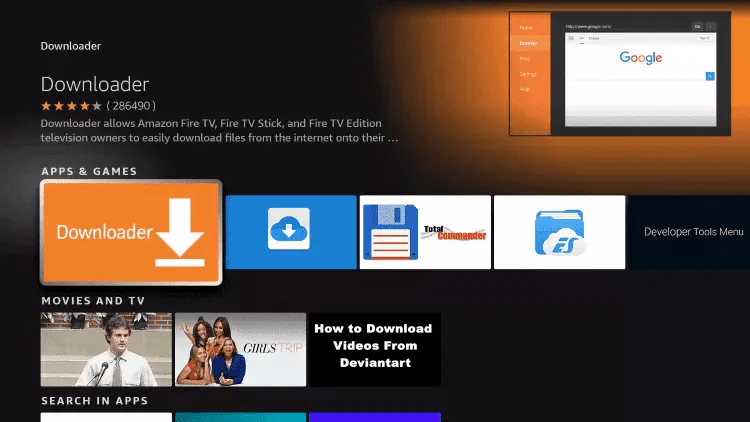
5. Click Download.
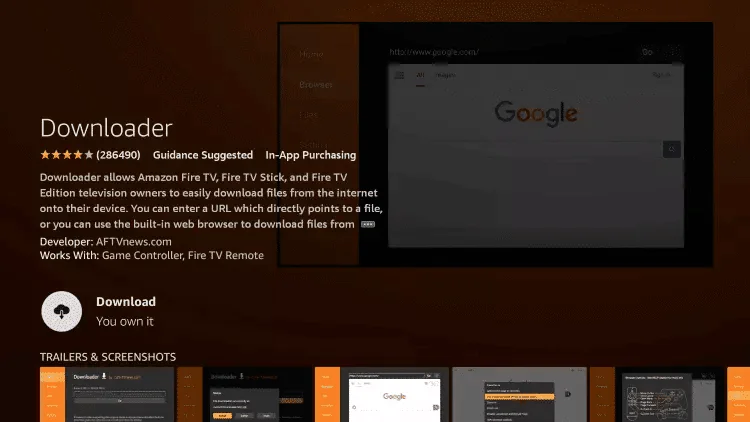
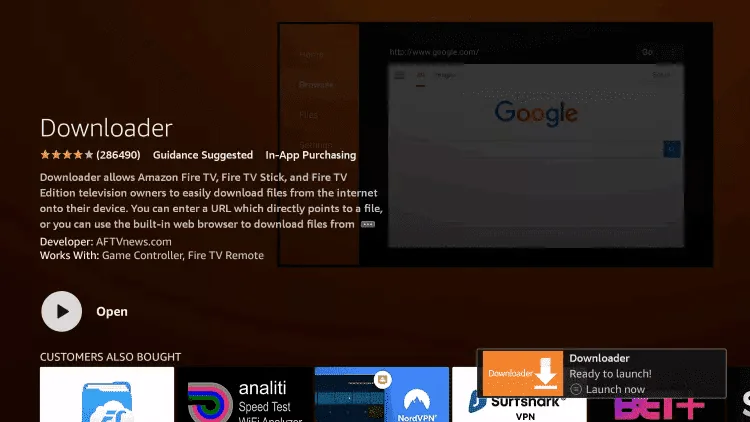
6. Once the app finishes installing click Open.
7. Return to the home screen and open Settings.
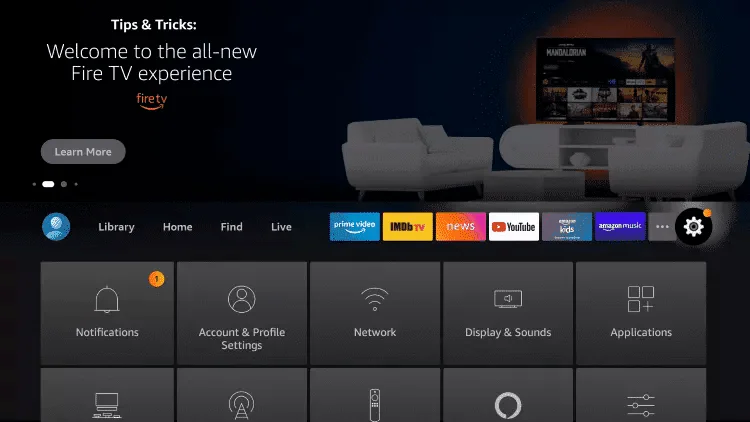
8. Click My Fire TV.
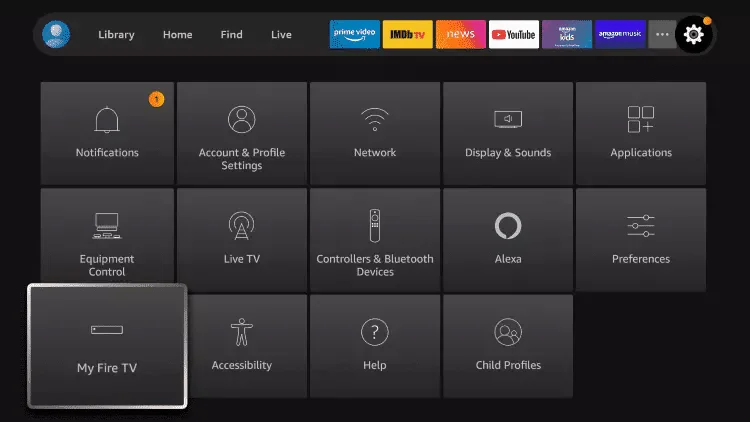
9. Choose Developer options.
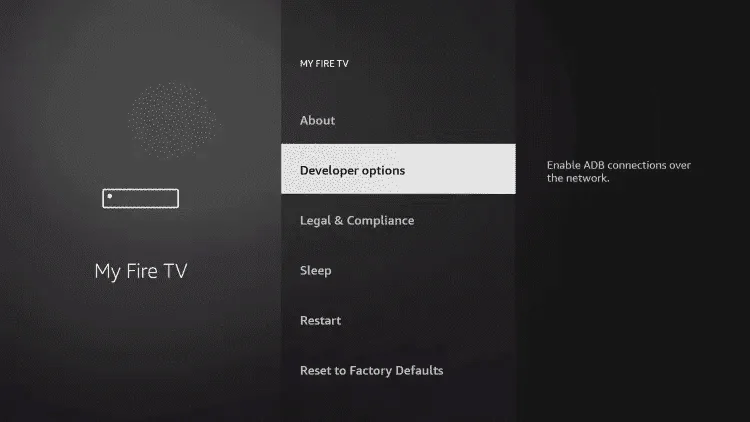
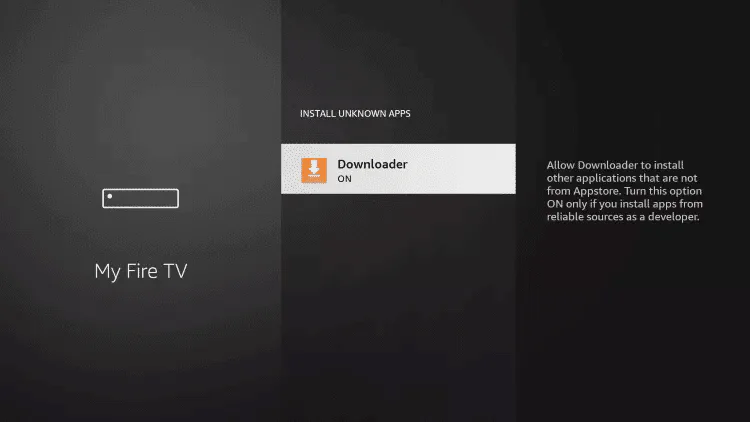
10. Click Install unknown apps.
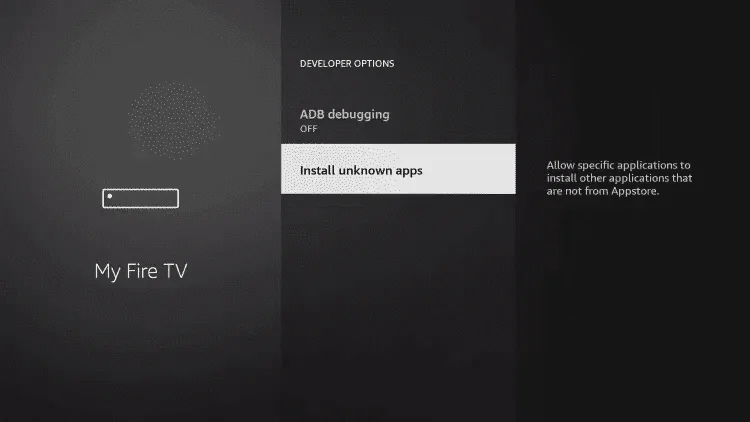
11. Find the Downloader app and click it.
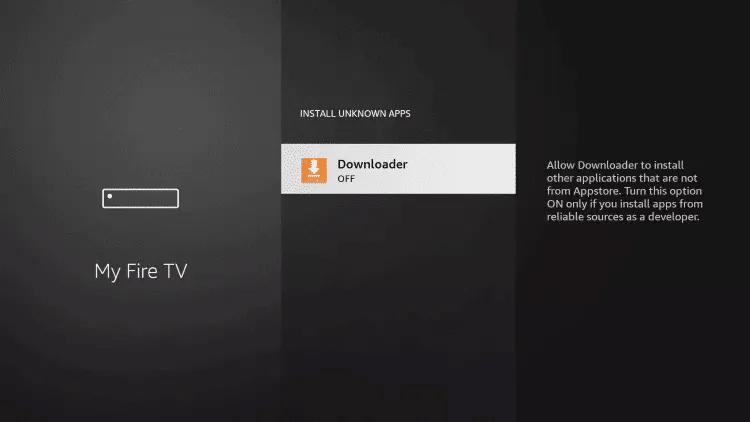
12. This will turn Unknown Sources to On for the Downloader app. This will enable side-loading on your device.
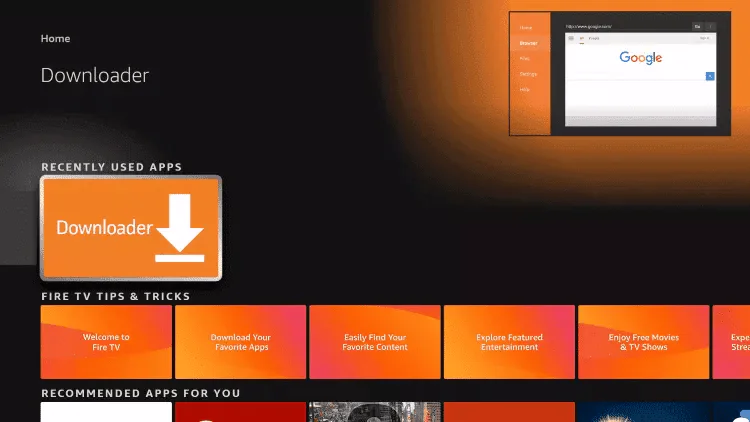
13. Launch Downloader.
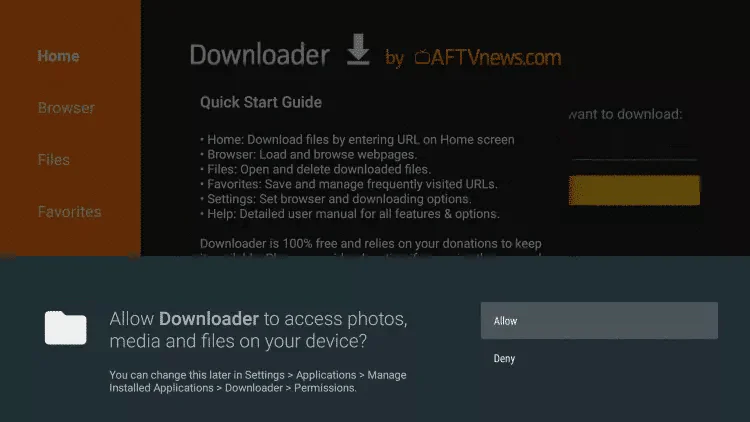
14. Click Allow.
15. Click OK.
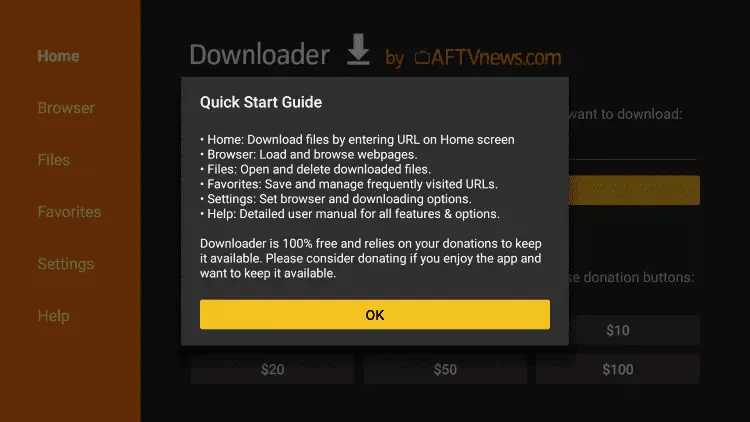
16. At this point you are ready to install any app through downloader , please select the that you like using the downloader code shared by email and follow the step in the app installation guide page
(Android TV, Phone, Tablet, or Android Box)
The Downloader app lets you easily install IPTV apps (like TiviMate 8K PRO, Ibo Player Pro, Hot Player, etc.) using a simple numeric code — no USB or PC needed.
📌 On Amazon Fire Stick?
The Play Store isn’t available by default. Instead:
- Press Home → Search → Type “Downloader” → Select the app by AFTVnews → Install.
⚠️ First time installing from unknown sources?
If prompted, allow “Install unknown apps” for Downloader:
- On Android TV/Phone: Go to Settings → Security → Allow “Unknown Sources” for Downloader
8367023)Your app is now installed! 🎉
To finish setting it up — enter your login details, load your playlist, and start watching — please visit our:
Apple devices only allow apps to be installed from the App Store — sideloading, APK files, or Downloader codes are not supported on iOS.
To install your IPTV app, follow these simple steps:
Your app is now installed! 🎉
To finish setting it up — enter your login details, load your playlist, and start watching — please visit our:
Smart TVs do not support universal app installers like Downloader. The method depends entirely on your TV brand and operating system. Here’s how to proceed based on your device:
✅ Good news! These TVs support the Google Play Store and Downloader.
📌 Tip: This works exactly like on Fire Stick or Android TV boxes.
Download IPTV Smarters app through this URL : https://www.iptvsmarters.com/download?download=windows
or
Download IBo Player Pro app through this URL : https://www.microsoft.com/store/apps/9MSNK97XPVRK
Download IPTV Smarters app through this URL : https://www.iptvsmarters.com/download?download=mac
or
Download Ibo Player pro through this URL : https://apps.apple.com/app/ibo-pro-player/id6449647925
Step 1: Send us the MAC Address of your MAG via Whatsapp/Email/Live Chat
Step 2: After making the payment, we will send you the portal link
IPTV 8K is your ultimate IPTV service for streaming all your favorite programs anytime, anywhere. Enjoy high quality live TV, movies, and series with seamless performance.
Copyright © 2025 IPTV 8K. All Rights Reserved.